



One QUAXIS instead of six systems.
The digital factory for the defence industry.
From quote to shipment, from model to accounting: one record.
ERP · Quality (AS9100) · HR · Production (MES) · Accounting · 3D-CAD
Contact us for a demo
One entry. One record. Everyone sees the same truth.
In most factories, quotes, purchasing, production, quality, staff and accounting live in separate programs and separate spreadsheets. QUAXIS brings them all together in one data set: information is entered once, and everyone who needs it sees it.
ERP: quotes, purchasing, stock, work orders and shipping.
Quality (AS9100): a paperless, connected quality system.
HR: staff, attendance, leave, competencies and training.
Production (MES): a tablet at the machine, live machine data in the office.
Accounting: the figures in the accounting software match the production records.
3D-CAD: dimensions, sections and technical drawings come straight from the model.
Who gains what?
- Owner · General manager: Work, quality and cash on the same screen.
- Purchasing: Every material is tracked from requirement to shelf.
- Quality: AS9100 runs paperless, and every record is linked.
- Planning · Production: The operation flow is drawn and sent to the machine in one click.
- Engineering: Dimensions, sections and technical drawings from the 3D model.
03ERP · Quotes
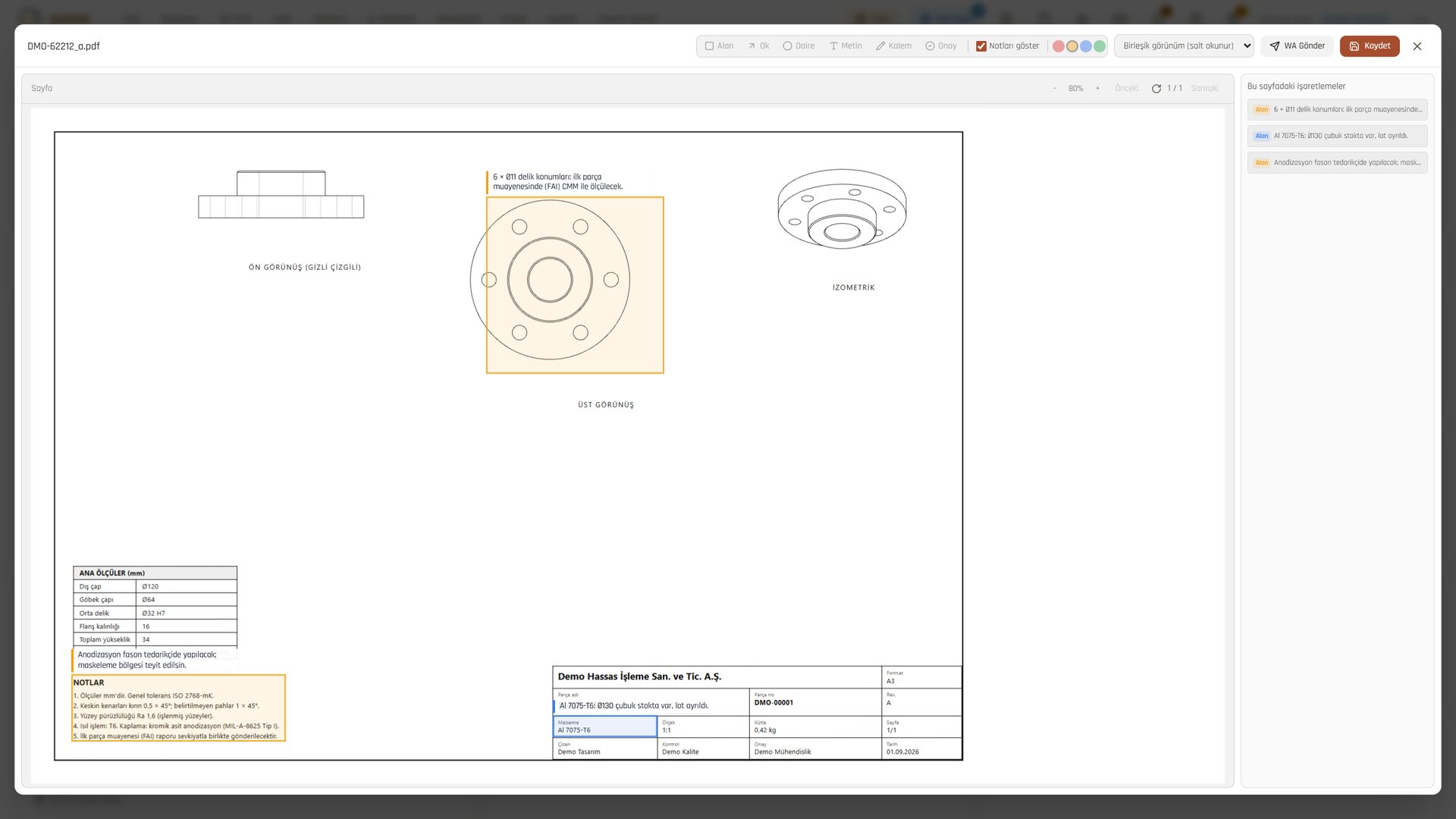
Drop the file, the quote builds itself.
The STEP model and the technical drawing go into a single drop zone. Part data is read and the cost is calculated from the model.
- AI extracts part data from the technical drawing: part number, material, mass, revision.
- Material, machining time and outsourced processes add up in the same calculation.
- Approval, delivery to the customer and proof of delivery stay on the quote.
- An approved part moves to a work order and to purchasing in one click.
- Quote data is queried by typing a question in Turkish.
- Sales
- Quote preparer
- Manager
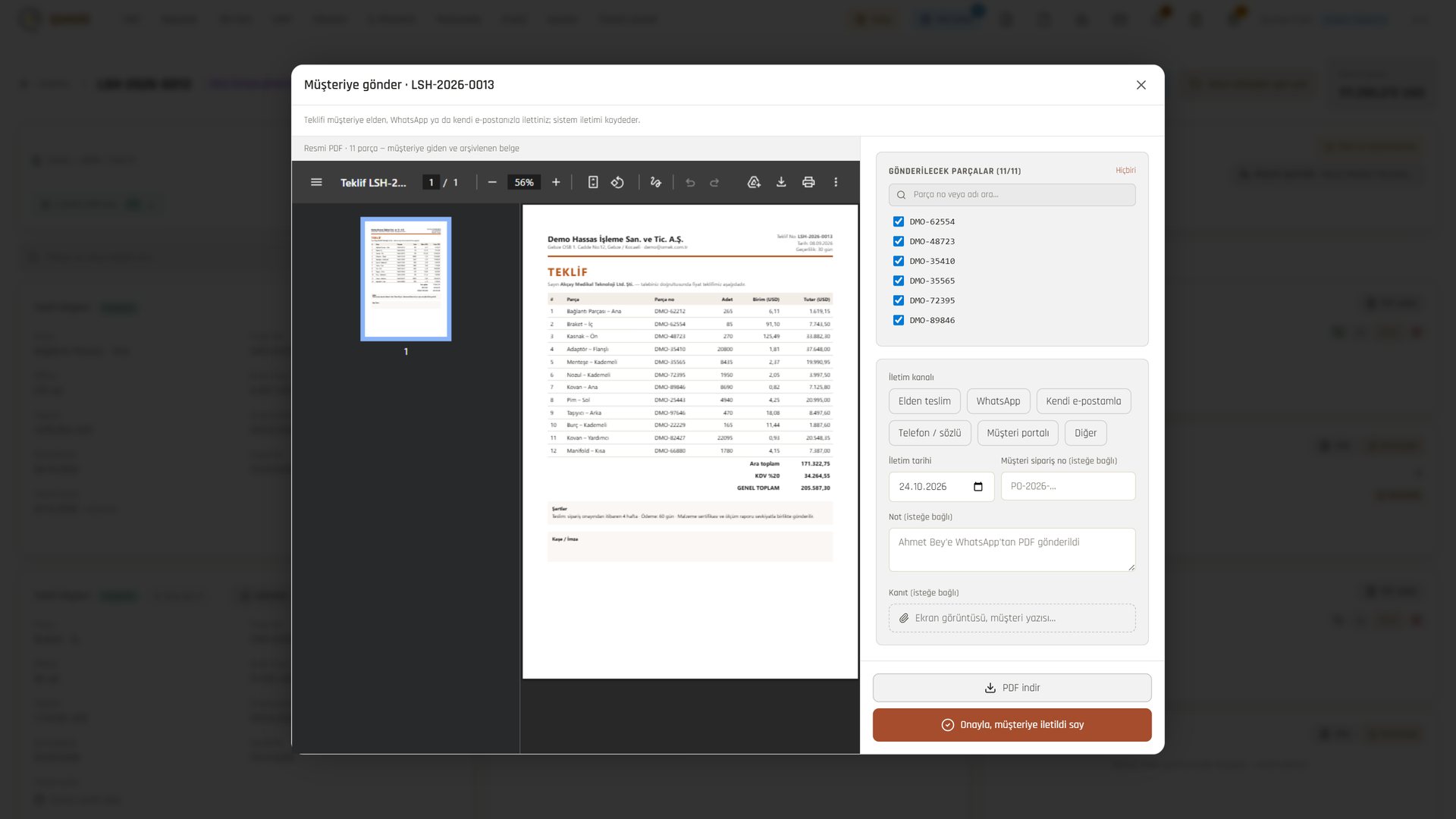
Names, companies and figures in the images are demo data.
043D-CAD
From model to dimension, from dimension to quote.
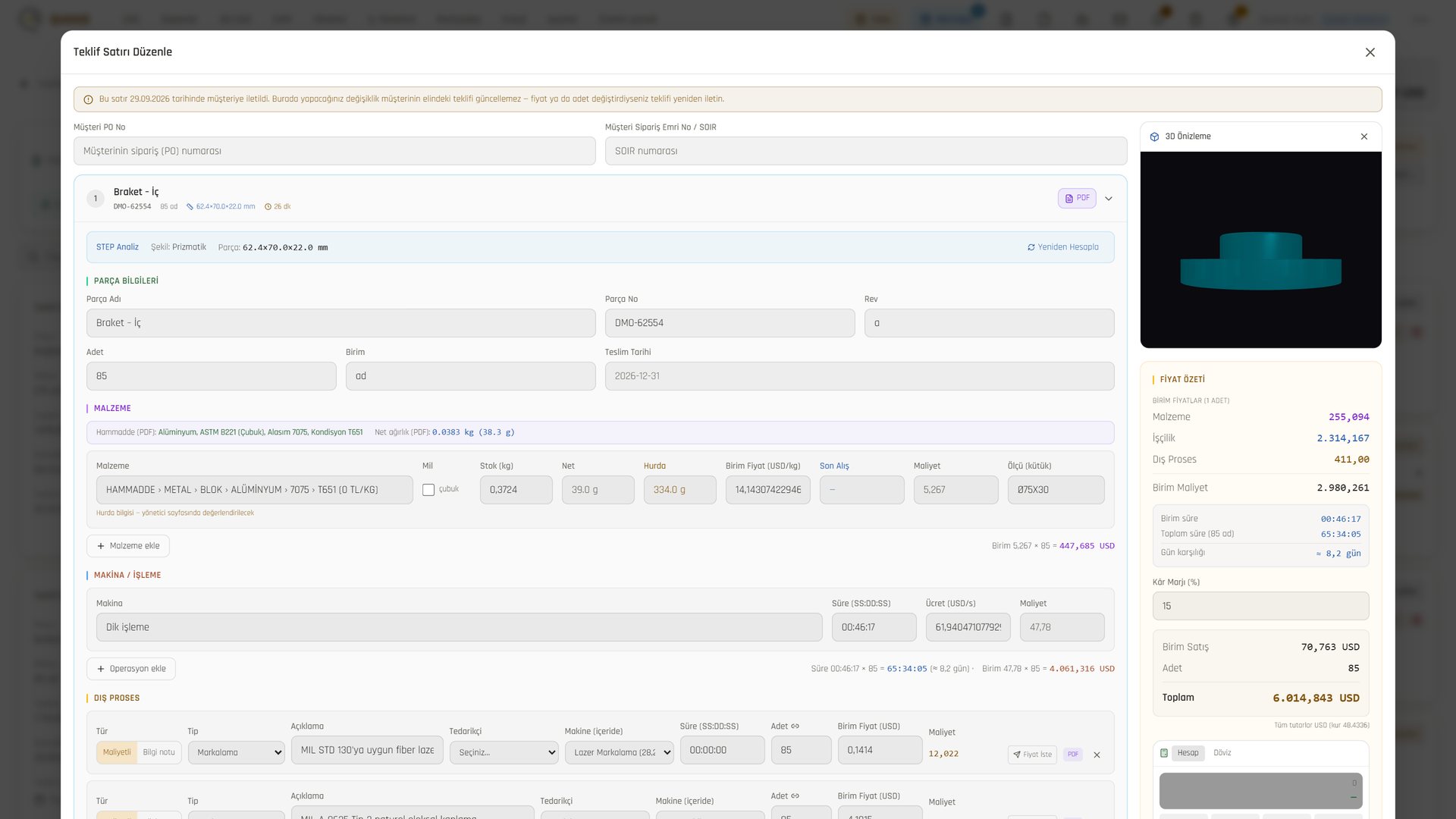
The STEP model opens; dimensions, sections and technical drawings come straight from the model. The same model also appears in the quote and at the machine.
- Dimensions and sections: dimension, hole, section and drawing tools on the same screen.
- Quality chain: CMM and first article inspection (FAI) panels on the same model.
- 3D in the quote: volume, weight and machining time estimates are produced and carried into the quote.
- The model at the machine too: if there is a STEP file, the operator rotates the part's 3D model on the tablet.
- Engineering
- Quality
- Quotes
Names, companies and figures in the images are demo data.
05ERP · Purchasing · Stock
From requirement to shelf, every material is tracked.
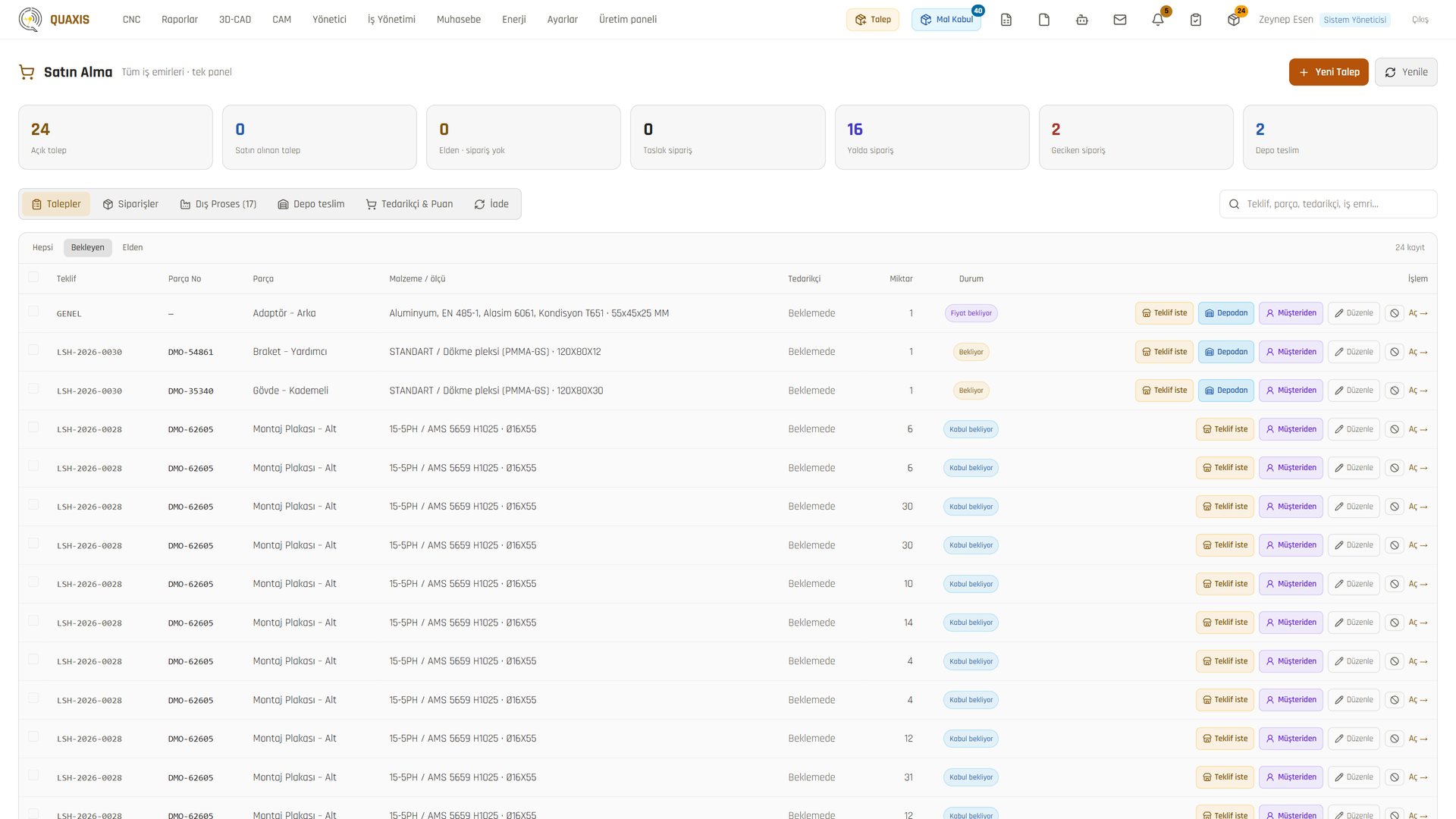
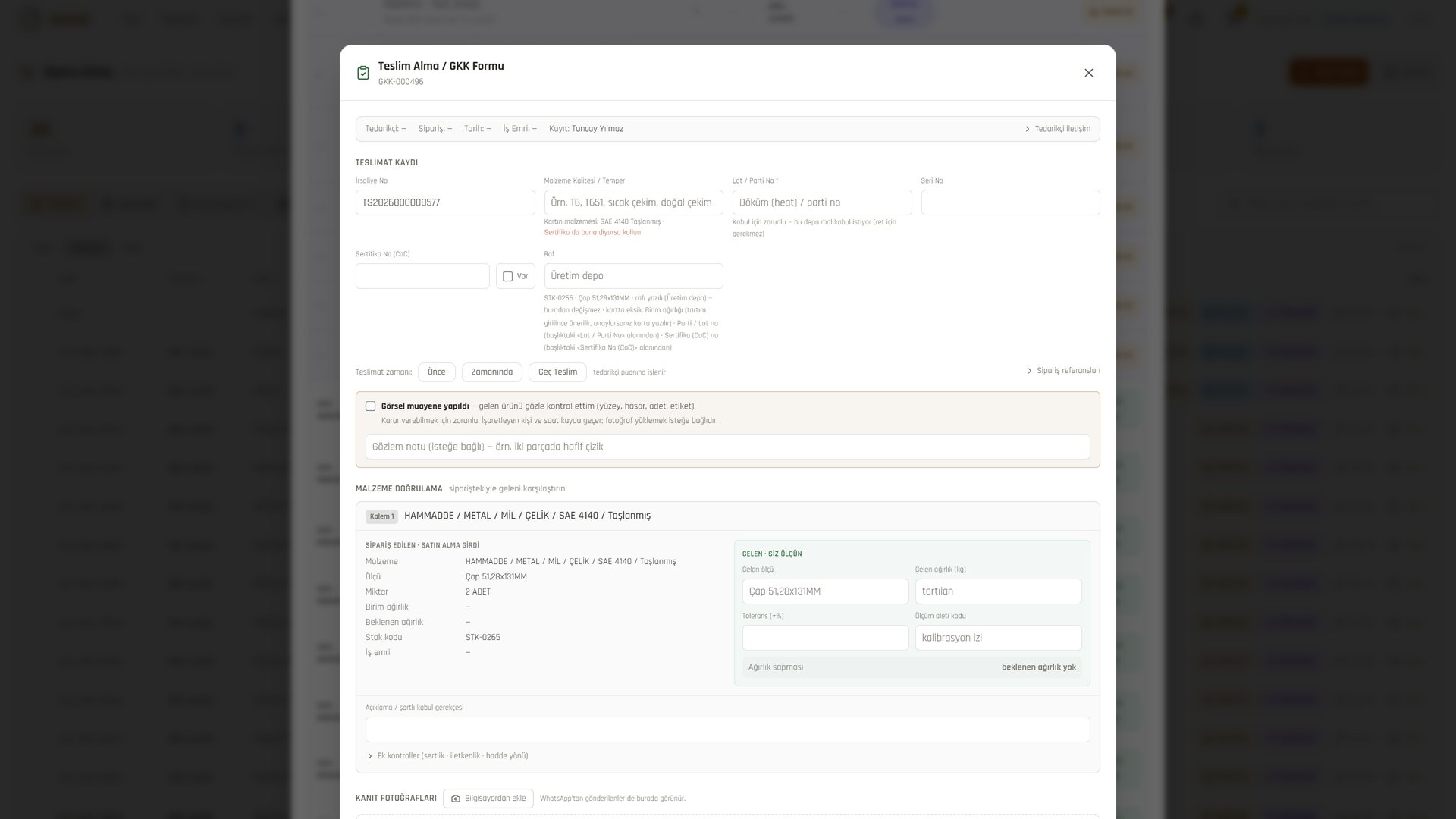
Who requested it, where it came from, who inspected it: all in one chain.
- Requests, orders, outsourced processes and supplier scores in one cockpit.
- Goods receipt has a single gate: received, measured, decided.
- A visual inspection declaration is mandatory; the person who ticks it is recorded.
- Supplier scores are calculated from order and inspection records, never entered by hand.
- Every stock movement is recorded with its reason; stock entry from a phone and QR labels are used.
- Purchasing
- Warehouse
- Quality control
Names, companies and figures in the images are demo data.
06ERP · Planning · Operations
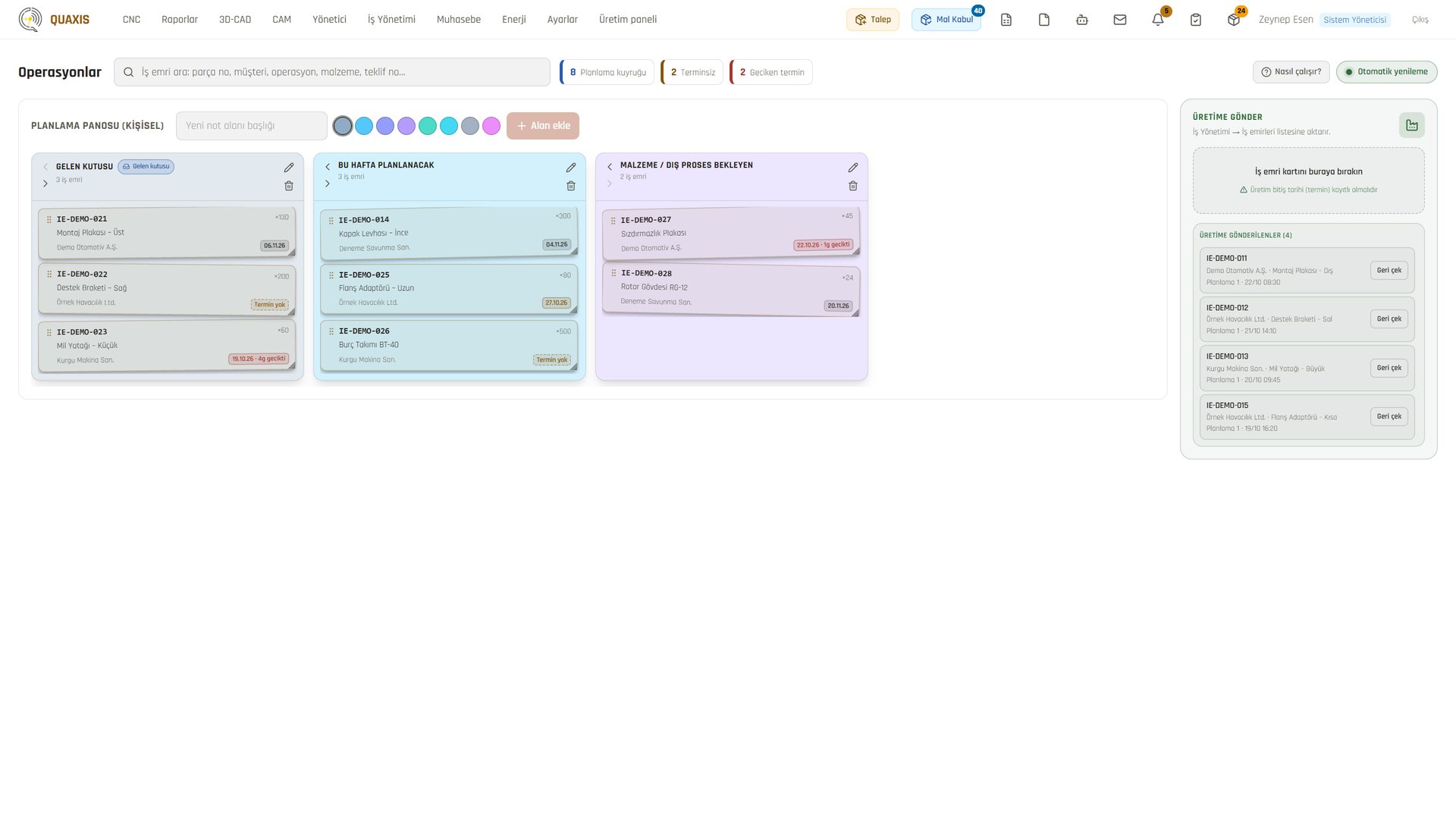
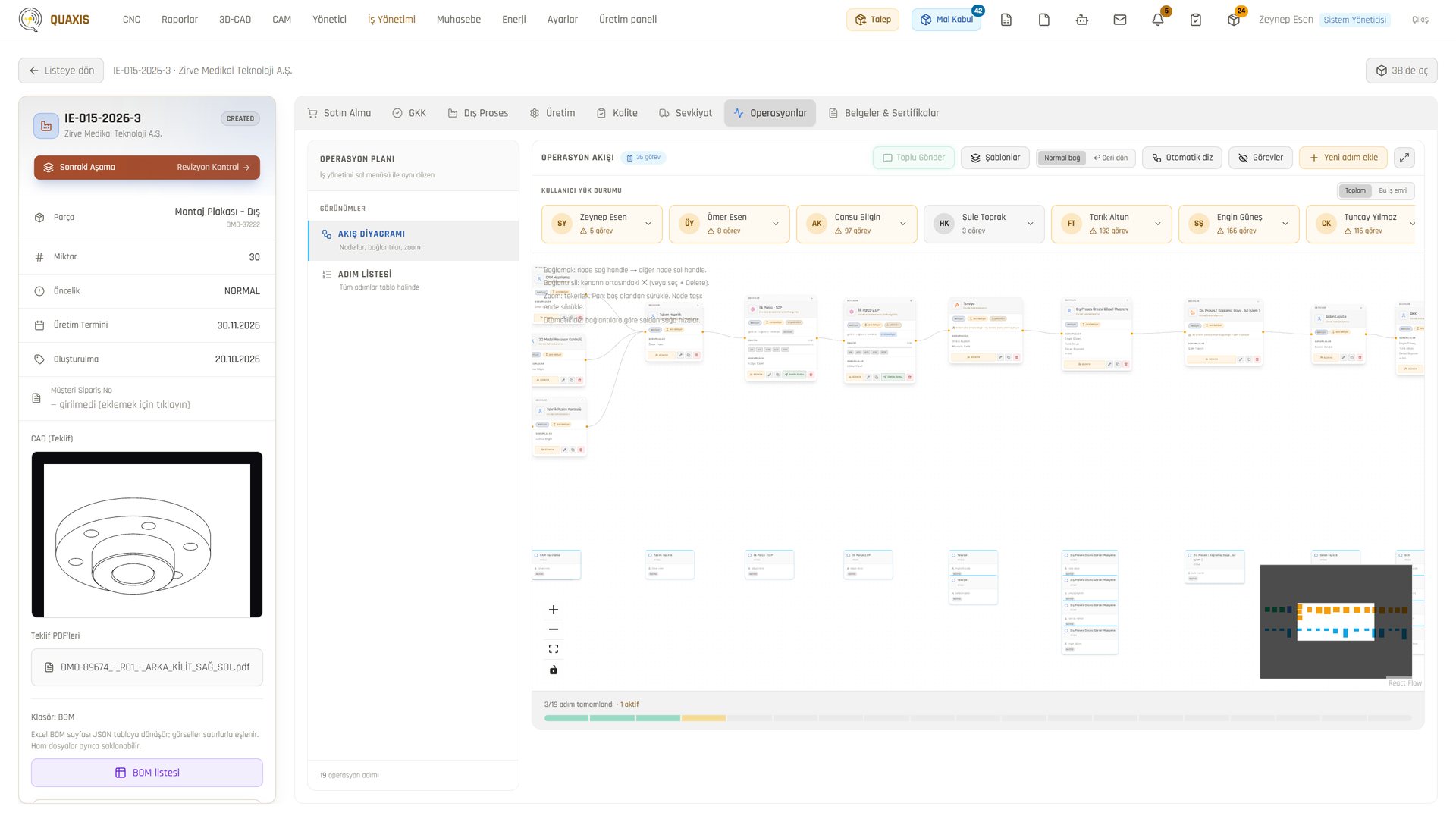
The operation flow is drawn and goes to the machine.
A work order's routing is a flow diagram: every step has its machine, owner and duration.
- Work orders are dragged on the planning board; "Send to production" opens them at the machine.
- Assignments are checked against competencies: anyone lacking the competency a step requires is flagged.
- When a step's turn comes, its owner is notified on WhatsApp.
- Purchasing, incoming quality, outsourced processes, production and shipping each have their own tab on the work order.
- Shipping is gated: documents must be complete, and an open quality record requires a justification.
- Planning
- Production lead
- Operations manager
- Cutting
- Turning
- Milling
- Plating (outsourced)
- Final inspection
- Shipping
Names, companies and figures in the images are demo data.
07MES · Production
One tablet at the machine.
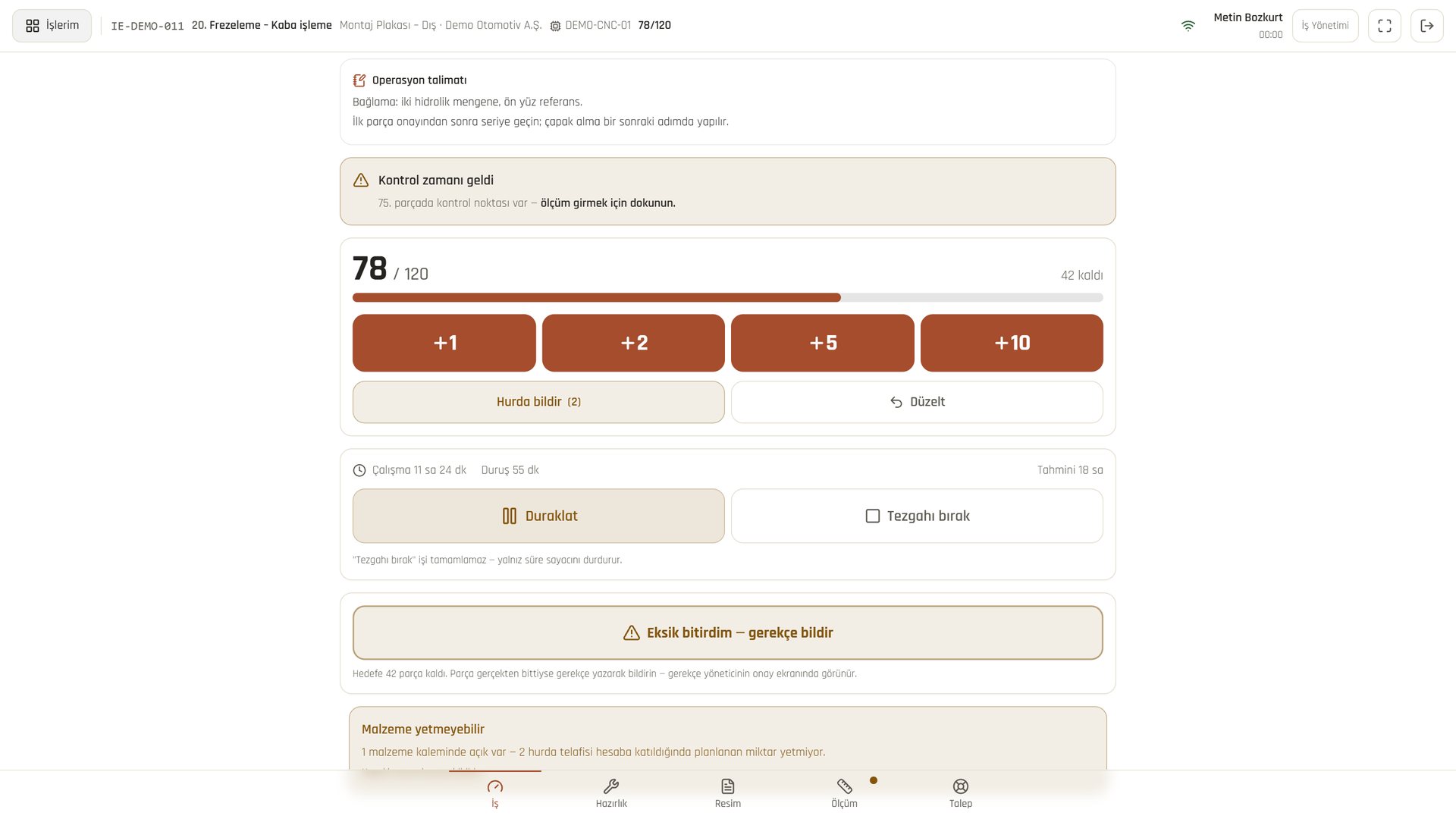
Counter, time, technical drawing, measurement and help calls in the operator's hands.
- The queue is ordered: the operator sees what to do now, and why a job cannot start is spelled out.
- The counter is kept with a single tap; a job cannot be paused without choosing a downtime reason.
- As a measurement is entered, the in/out-of-tolerance verdict shows instantly in colour.
- Taps are not lost if the network drops; they are sent when the connection returns.
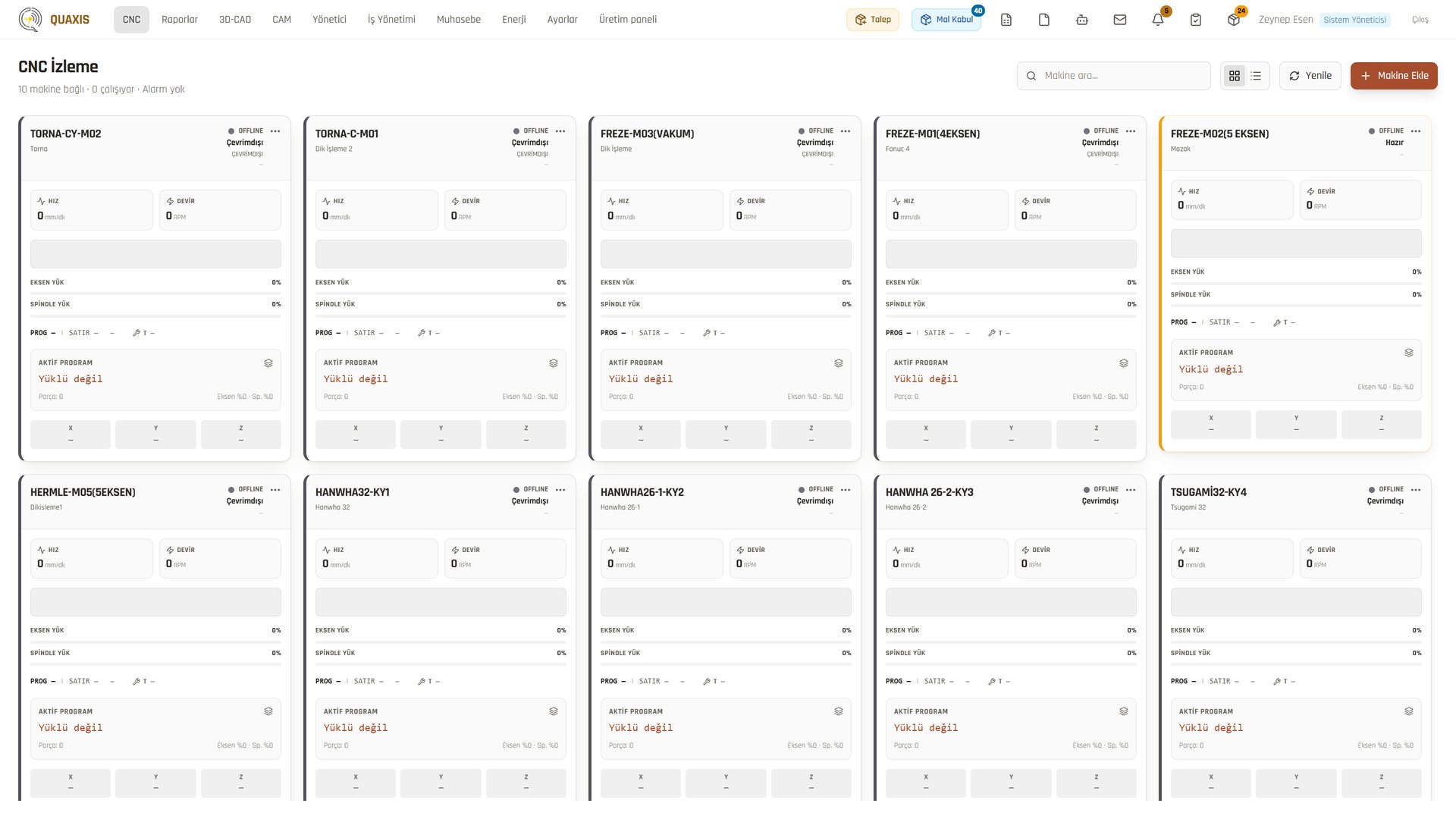
- The status, program and load of Fanuc and Mazak machines are monitored live from the office.
- Operator
- Foreman
- Production lead
Names, companies and figures in the images are demo data.
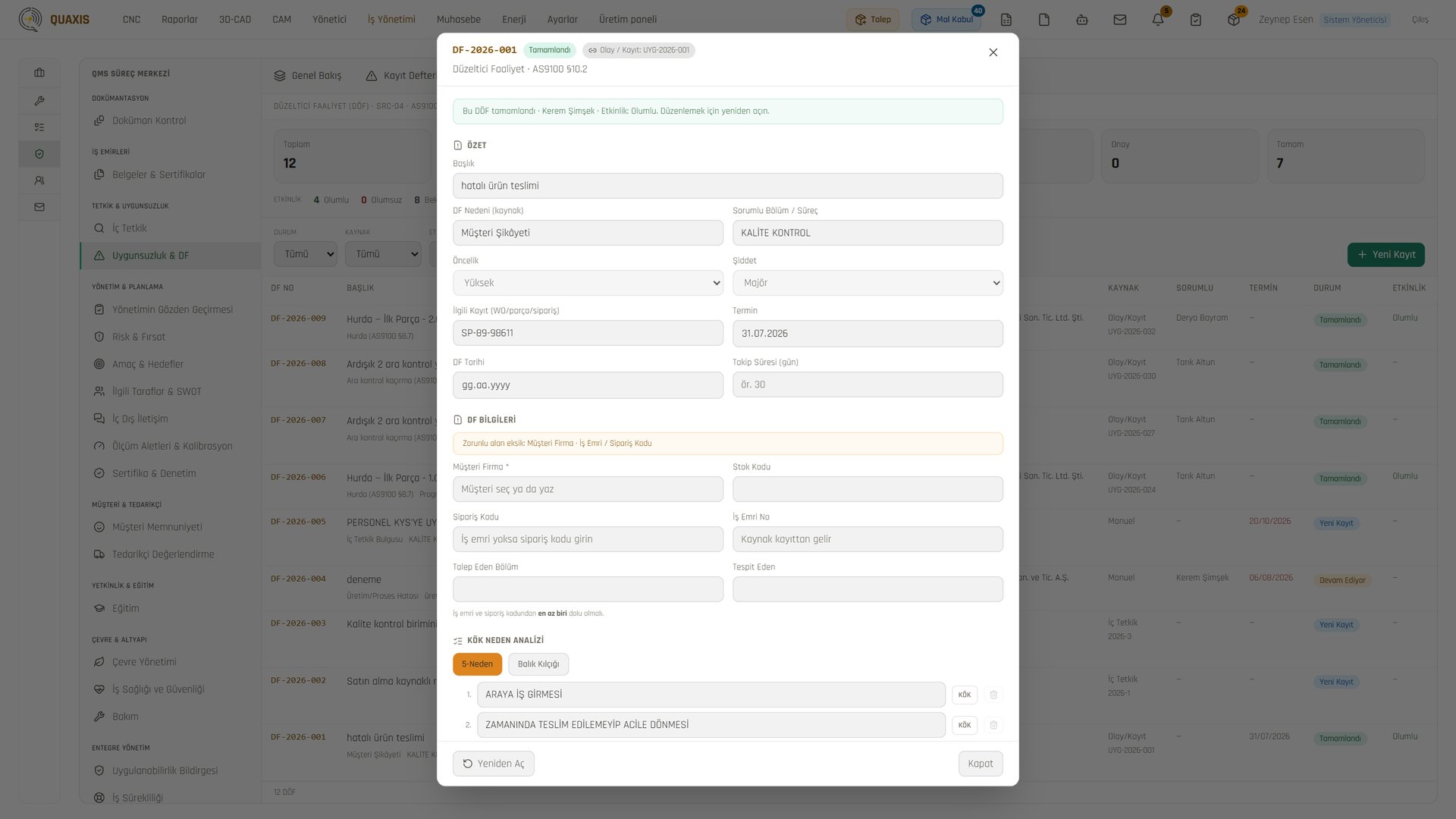
08Quality · AS9100
Every part has its quality history on record.
Documents, audits, nonconformities and CAPA are linked; the quality system is paperless.
- Processes are mapped to AS9100 / ISO 9001 clauses (§4–§10).
- Nonconformities are kept in one register; a CAPA cannot close until its effectiveness is verified.
- Internal audits run end to end in the system: question bank, plan, field answers, findings.
- Quality records are never deleted; they are archived with a reason.
- Gauges, calibration and certificate due dates are tracked on a single strip.
- Quality assurance
- Quality control
- Top management
Names, companies and figures in the images are demo data.
09HR · Communication
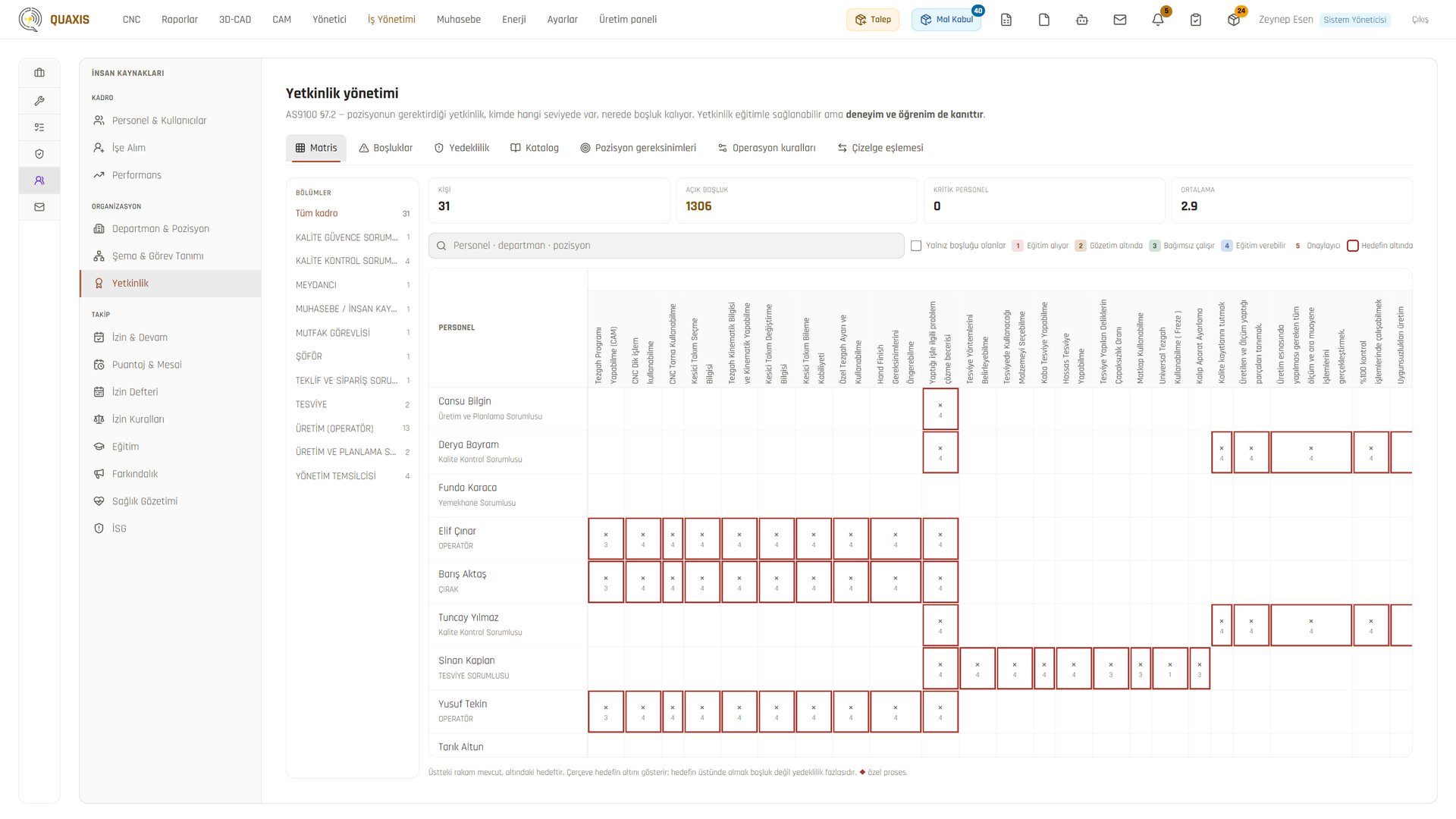
Staff, competencies and work conversations in one place.
From the card reader to the timesheet, from the competency matrix to the task.
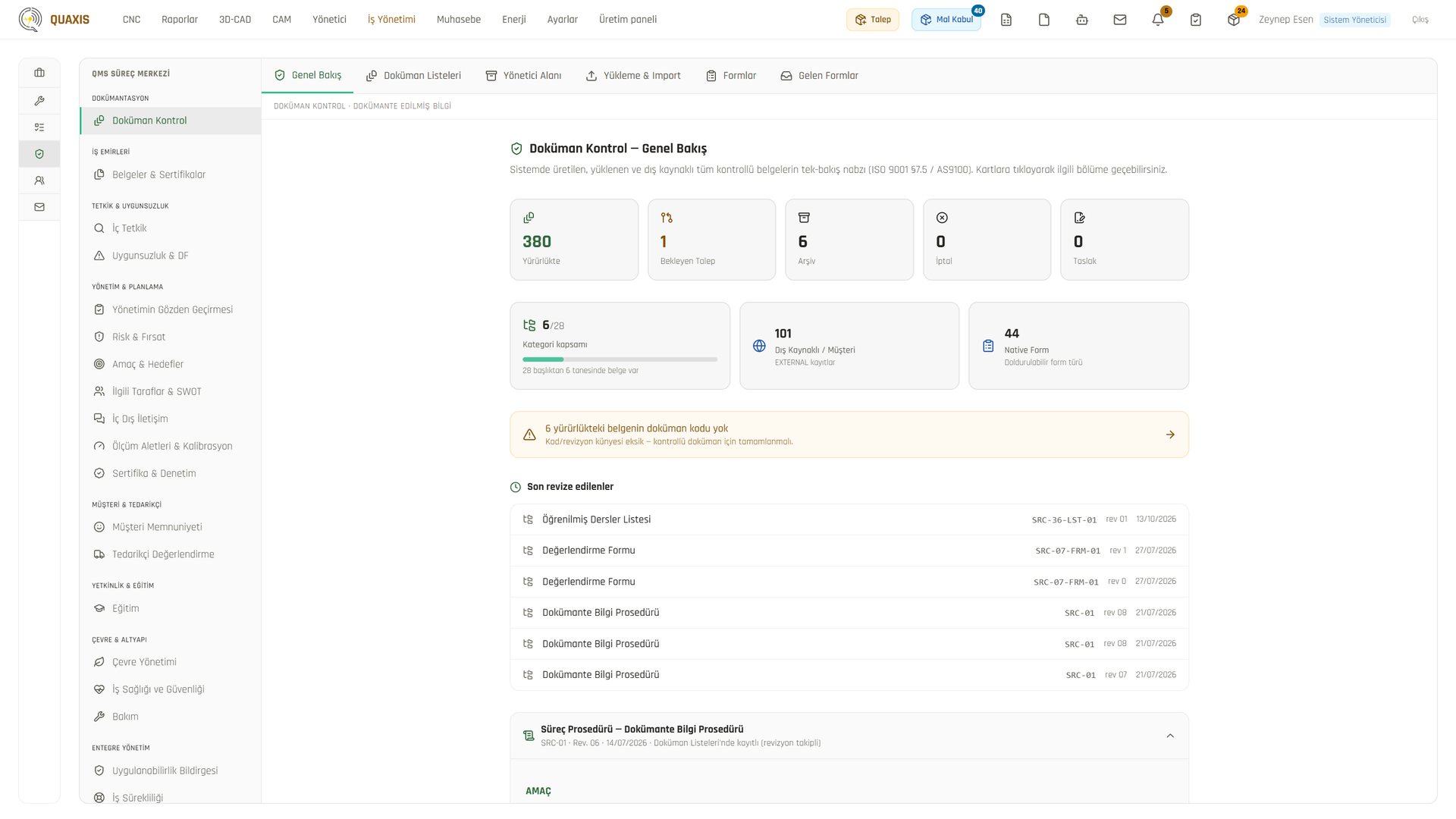
- Daily attendance and the monthly timesheet come straight from the card reader.
- Leave and timesheets follow Articles 41, 53 and 56 of Turkish Labour Law No. 4857.
- The competency matrix and training records are audit-ready (AS9100 §7.2).
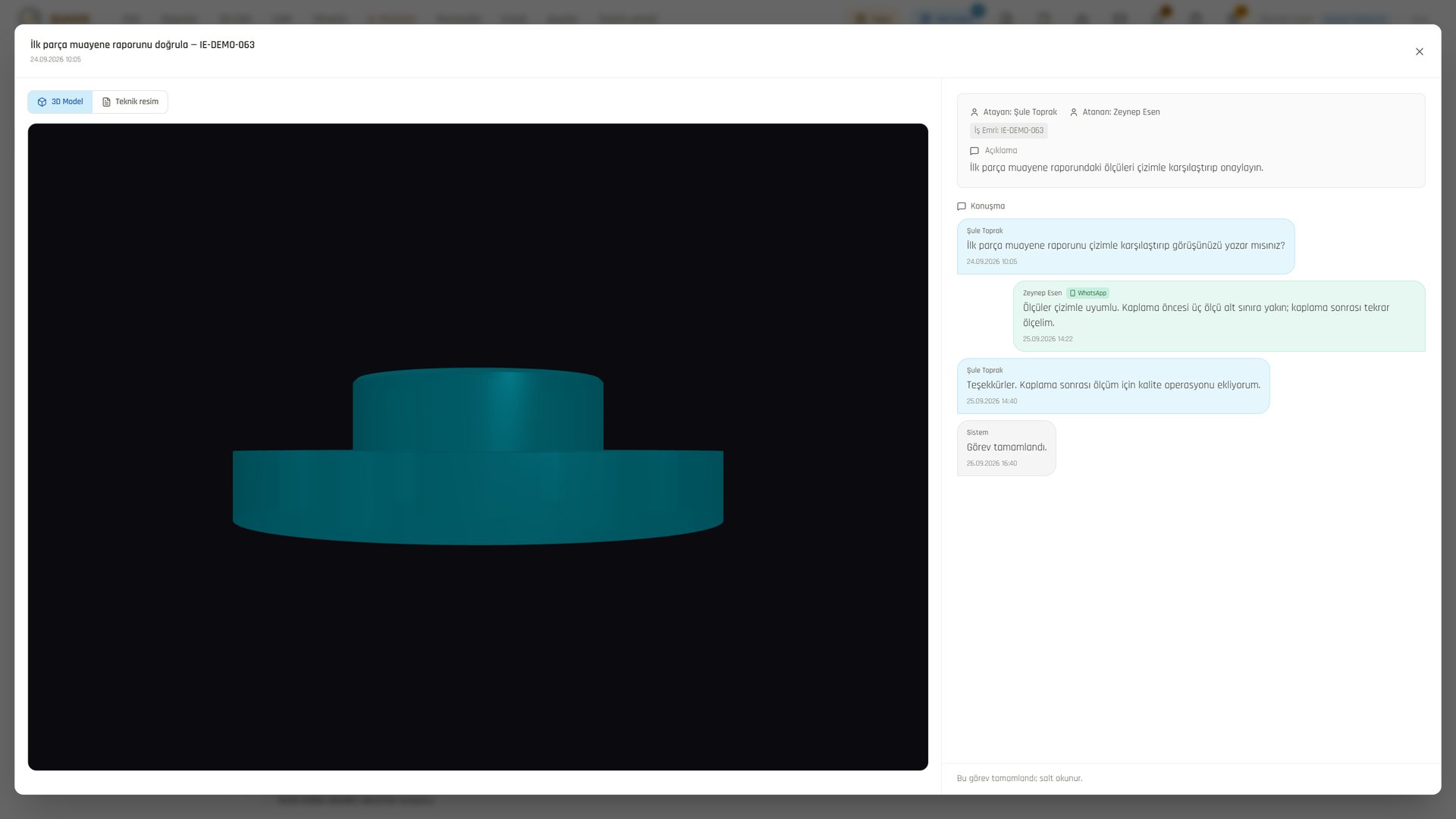
- Tasks, messages and company mail come together in one workspace, connected to WhatsApp.
- A local AI drafts e-mail replies; drafts are never sent automatically.
- HR
- Department heads
- All employees
Names, companies and figures in the images are demo data.
10Management · Accounting
The whole factory at a glance.
The cockpit brings problems to the top; accounting figures match the work orders.
- In the management cockpit, the card that needs action appears at the top.
- Data is queried by typing a question in Turkish.
- Profit, cash, receivables-payables and VAT on one page; the figures are read from the accounting software.
- Purchase invoices are linked to work orders, so work order profitability becomes visible.
- AI writes a monthly commentary and recommendations; the recommendations are followed up the next month.
- Owner
- General manager
- Accounting
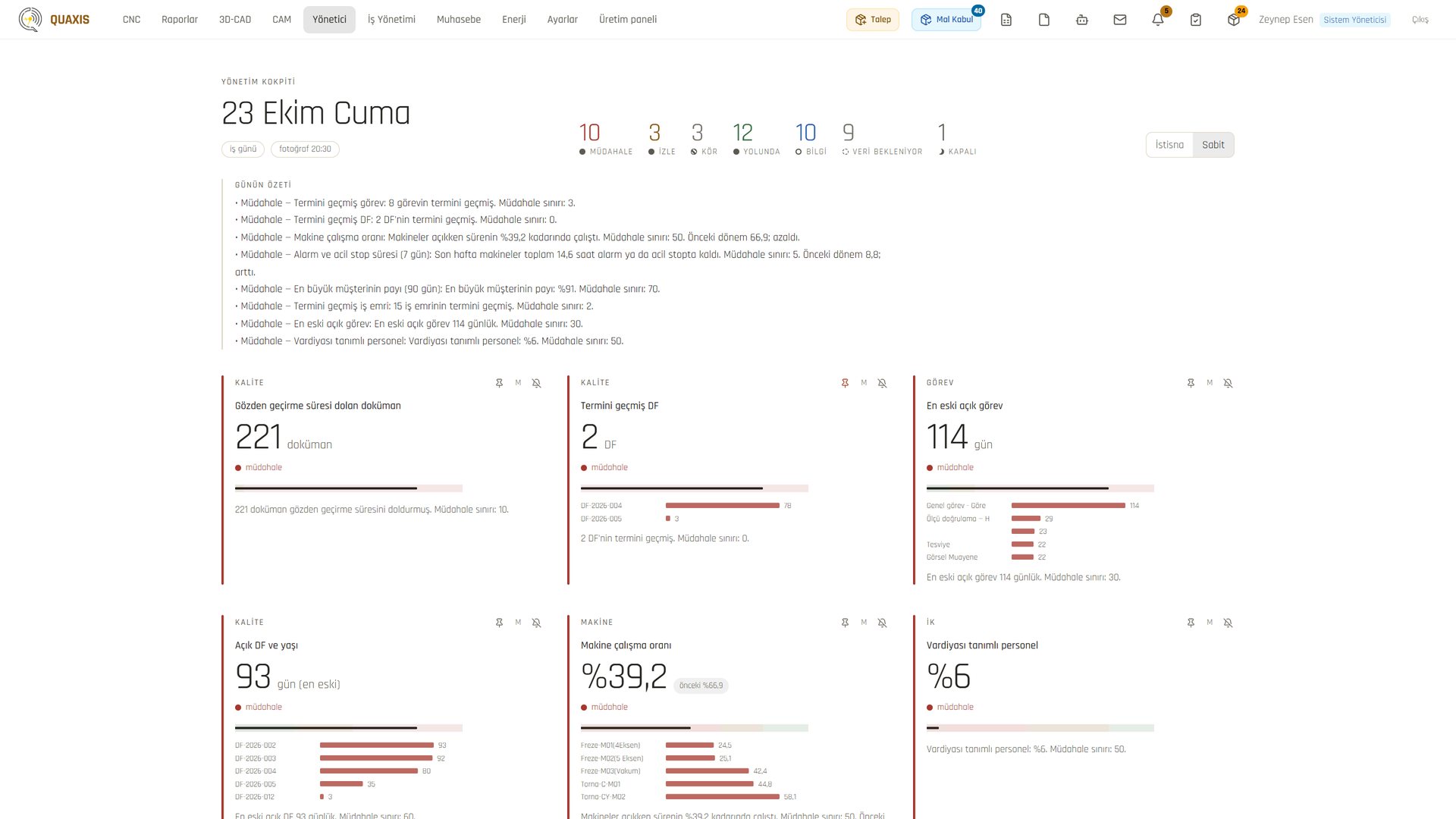
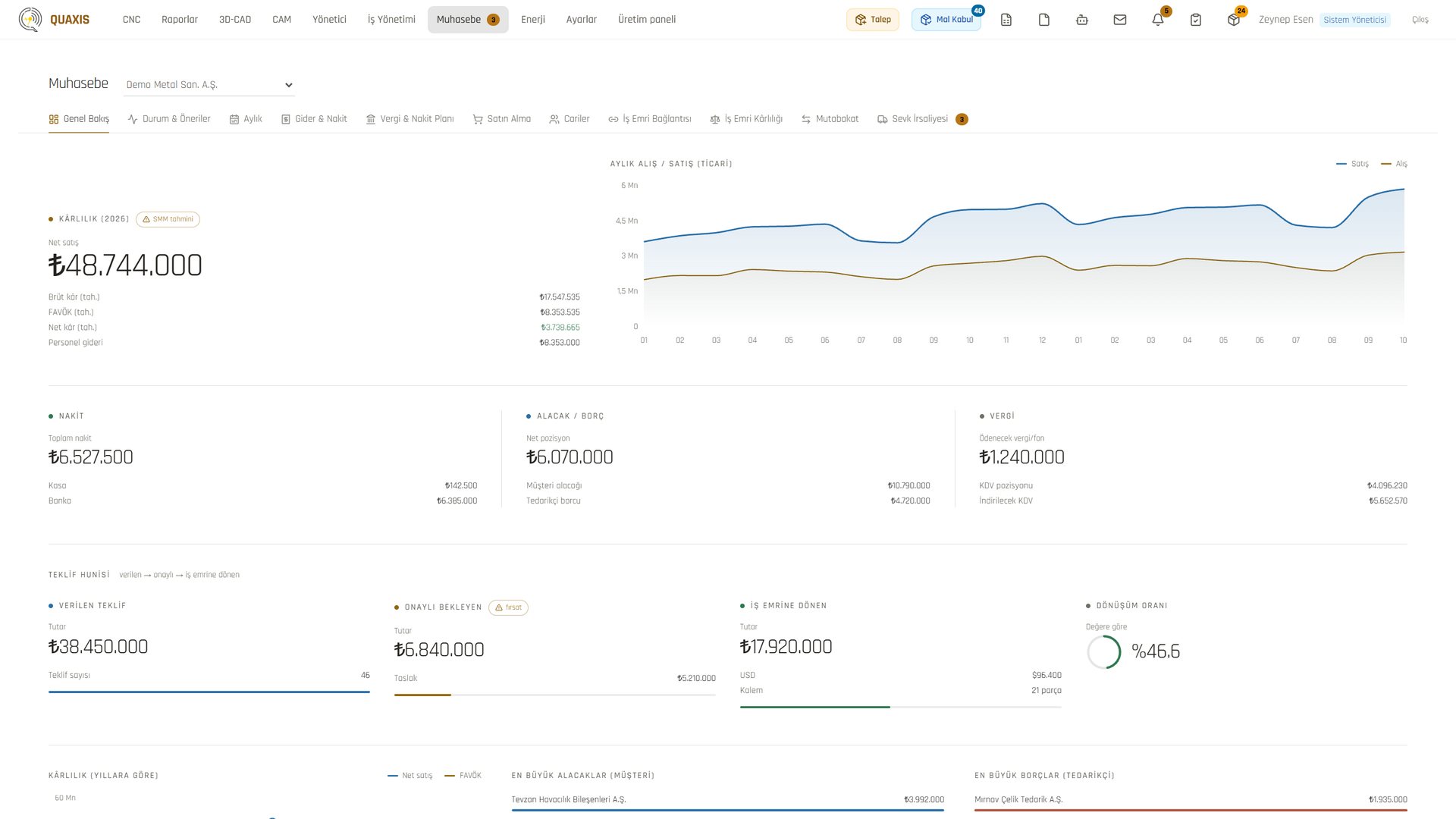
Names, companies and figures in the images are demo data.
An order's journey, in one system.
- 1
Quote: The model and drawing are read; the price comes from the model.
- 2
Purchasing: Material needs drop into the request list automatically.
- 3
Receipt: Material is received, measured and accepted.
- 4
Operations: The flow is drawn and the job is sent to production.
- 5
Machine: The counter runs, measurements are taken, the first part is approved.
- 6
Quality: Nonconformities and CAPA are recorded.
- 7
Shipping: The job leaves with its documents and quality approval.
- 8
Accounting: The invoice is linked to the work order.
The same foundation runs under every step: HR, tasks, WhatsApp notifications and the management cockpit.
One QUAXIS instead of six systems.
The digital factory for the defence industry.
Contact us for a demo.
- (0312) 394 47 06
- WhatsApp +90 532 248 25 10
- info@geltek.com.tr
- geltek.com.tr
- AĞAÇİŞLER SAN SİT, İvedik OSB, 1377. Sk. NO: 23, 06374 Yenimahalle/Ankara
Names, companies and figures in the images are demo data.